PDF documents
Download the latest WithAudio to get PDF import and the Native PDF View (version 0.1.71 and later; Markdown view remains the default for newly imported PDFs).
Native PDF View with synchronized highlighting
You can listen to a PDF while seeing the original layout, with the current sentence highlighted on the page as it is read aloud.
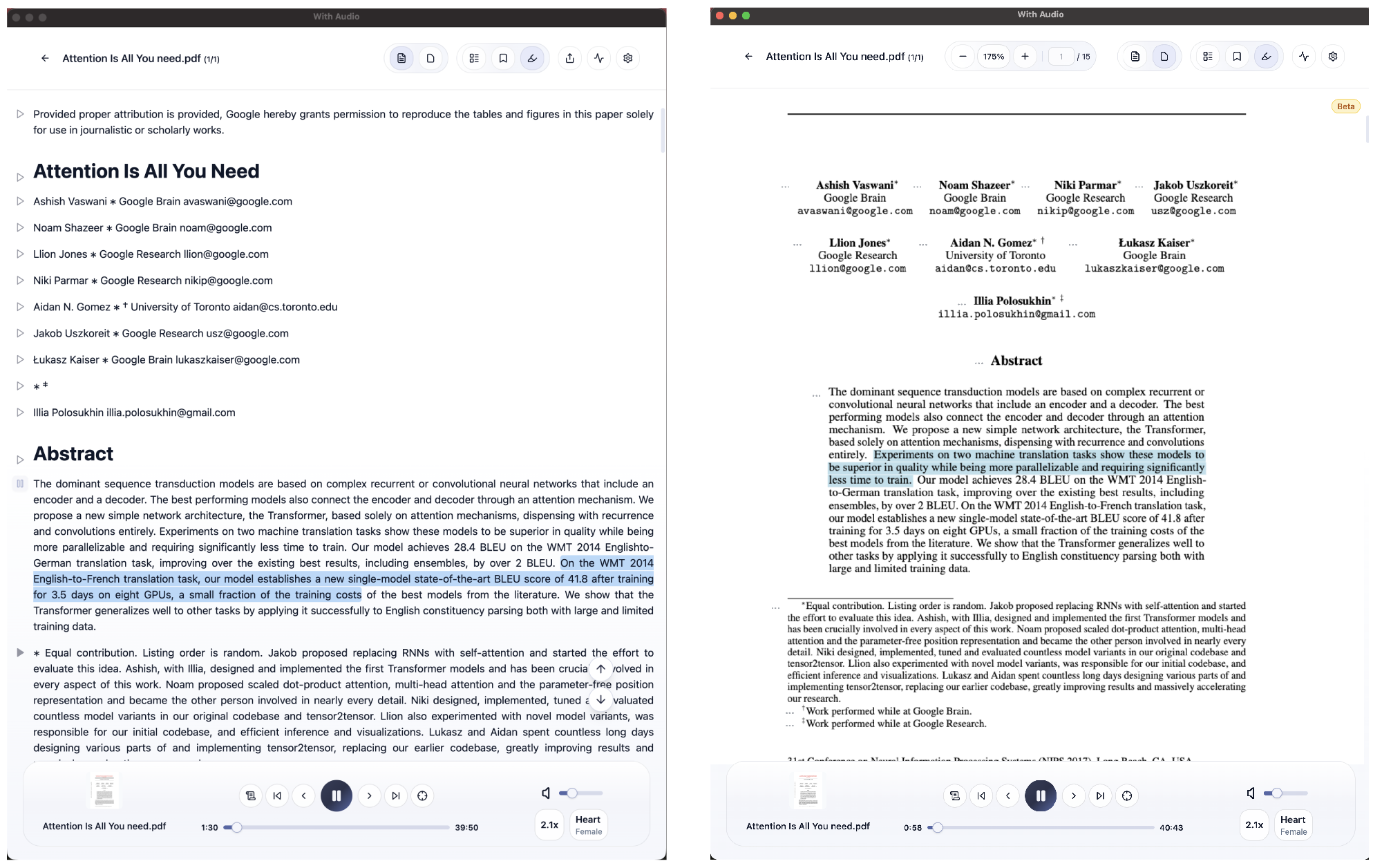
What changed
Previously, importing a PDF turned its contents into Markdown before display. You saw a plain, reformatted version of the document: fonts, layout, tables, and images were largely stripped.
With PDF View, the file is rendered at full fidelity. As playback runs, the sentence being spoken is highlighted on the real PDF—no reformatting, and no need to use a separate plain-text view to follow along.
See it in action
The highlight follows playback and the view scrolls so the active sentence stays on screen.
Open the demo on YouTube if the player does not appear.
More detail: Native PDF View with Synchronized Highlighting (March 2026)
How to use it
- Import any PDF as you normally would.
- In the document view, use the toolbar toggle to switch from Markdown to PDF View.
- Open the … menu next to a paragraph and choose Play.
Known limitations
PDFs store text as fixed-position drawing instructions, not as a clean semantic document. Synchronized highlighting can be less accurate for complex layouts, multi-column pages, or unusual formatting. If something looks wrong, consider sending us the file so we can improve the parser.
Markdown View and OCR limitations still apply in their contexts: Markdown is still a reformatted text view, and we do not support OCR for PDFs that are effectively scanned images. PDF View (0.1.71+) is about faithful layout and on-page highlighting, not about extracting text from image-only files.
Import performance
Import time depends on length. A typical scientific paper may take on the order of ~20 seconds; a long book (for example ~500 pages) might take on the order of ~5 minutes. That processing runs once per document. Local models analyze structure and layout; we are working on making imports faster.
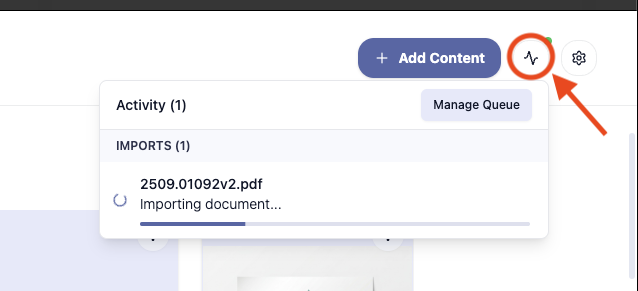
While a PDF is being processed, it may not appear on Home; check In-Progress Actions (top right).
When another format is better
If the same content exists as HTML, Markdown, or (for papers) an arXiv HTML version, that can be easier to work with in some cases. For documentation, prefer native web or markdown when you have the choice.
Support and feedback
If PDF parsing, highlighting, or import does not match what you expect, contact our support team. We use feedback to prioritize improvements.